
컨트롤러(controller)란?
NestJS의 컨트롤러는 HTTP 요청을 받아 처리할 메서드로 연결하고, 서비스의 실행 결과를 클라이언트에게 돌려주는 역할을 한다. URL 경로와 HTTP 메서드를 매핑해 애플리케이션의 라우팅을 담당하는 핵심 요소이다.
시작 전 셋팅
nest g resource users시작 전 위의 명령어를 실행하여 users를 만들어준다.
@Get
import { Controller, Get } from '@nestjs/common';

@Controller('users')
export class UsersController {
  @Get()
  findUser(): string {
    return 'find user page';
  }
}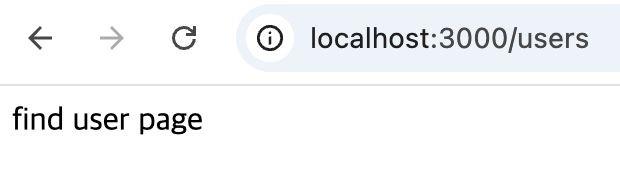
@Controller('users')를 통해서 localhost:3000/users 로 경로를 만들고 @Get()을 통해서 / 경로로 접속할 경우 find user page 의 문자열을 띄운다. Controller 의 () 안에는 요청 라우팅 경로를 지정할 수 있고, 없을 경우에는 / 로 인식하게 된다.
- localhost:3000/usres -> @Controller('users')
- localhost:3000 -> @Controller()
Request 객체
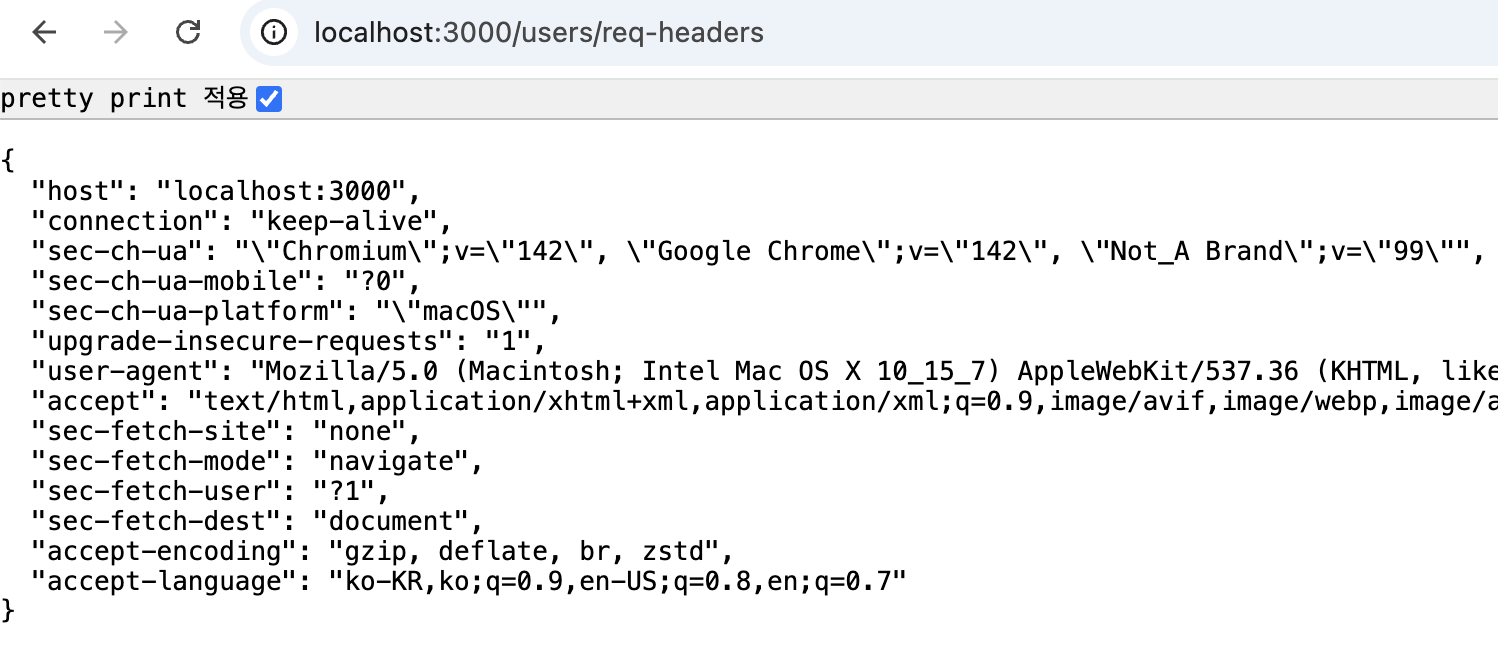
NestJS는 Express를 사용하고 있기 때문에 Reqeust객체를 사용할 수 있다. @Req() 데코레이터를 사용하면 된다.
import { Controller, Get, Req } from '@nestjs/common';

@Controller('users')
export class UsersController {
  @Get('req-headers')
  reqTest(@Req() req: Request) {
    console.log(req);
    return req.headers;
  }
}
@Query()
@Query()는 HTTP 요청의 Query String 파라미터를 컨트롤러 메서드의 인자로 주입하기 위한 데코레이터이다. URL 뒤에 ?key=value 형태로 붙는 값을 자동으로 추출해 개발자가 바로 사용할 수 있도록 도와준다.
import { Controller, Get, Query, Req } from '@nestjs/common';

@Controller('users')
export class UsersController {
  @Get('query-test')
  queryTest(@Query('name') name: string, @Query('age') age: string) {
    return { name, age };
  }
}
@Param()
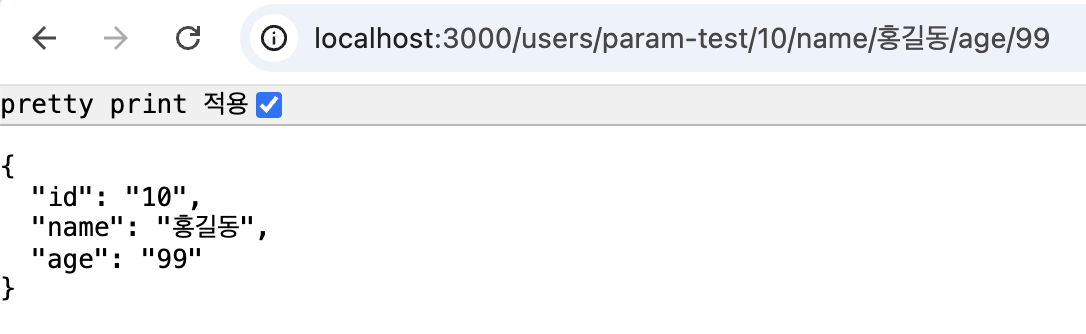
@Param()은 HTTP 요청의 URL 경로(Route Parameter)에 포함된 값을 컨트롤러 메서드의 인자로 주입할 때 사용하는 데코레이터이다.
import { Controller, Get, Param, Query, Req } from '@nestjs/common';

@Controller('users')
export class UsersController {
  @Get('param-test/:id/name/:name/age/:age')
  paramTest(@Param() params) {
    return params;
  }
}
@Post() 와 @Body()
import { Body, Controller, Get, Param, Post, Query, Req } from '@nestjs/common';
import { BodyTestDto } from './dto/body-test-dto/body-test-dto';

@Controller('users')
export class UsersController {
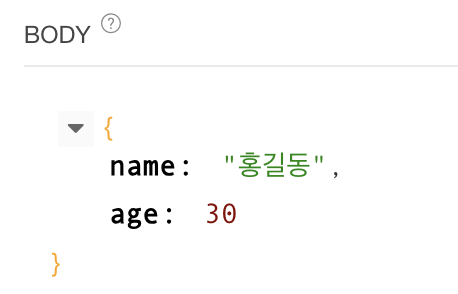
  @Post('body-test')
  bodyTest(@Body() bodyTestDto: BodyTestDto) {
    return bodyTestDto;
  }
}
참고
https://docs.nestjs.com/controllers
Documentation | NestJS - A progressive Node.js framework
Nest is a framework for building efficient, scalable Node.js server-side applications. It uses progressive JavaScript, is built with TypeScript and combines elements of OOP (Object Oriented Programming), FP (Functional Programming), and FRP (Functional Rea
docs.nestjs.com
https://codegear.tistory.com/58
NestJS - 05.컨트롤러 만들기
다음은 이 글의 동영상 강의입니다. https://youtu.be/v66oRI3peh8 아래는 컨트롤러 실습 강의 영상입니다. https://youtu.be/BJbL6zT16DM * 이글은 NestJS 홈페이지를 참조하여 작성하였습니다. https://docs.nestjs.kr/co
codegear.tistory.com
'NestJS > 개념과 구조 정리' 카테고리의 다른 글
| NestJS로 효율적인 백엔드 개발하기 (06) - 미들웨어(클래스형, 함수형) (0) | 2025.12.12 |
|---|---|
| NestJS로 효율적인 백엔드 개발하기 (05) - 모듈에 대해 알아보자 (0) | 2025.12.12 |
| NestJS로 효율적인 백엔드 개발하기 (04) - 서비스 사용하기 (0) | 2025.12.11 |
| NestJS로 효율적인 백엔드 개발하기 (02) - 컨트롤러, 서비스, 모듈 (0) | 2025.12.10 |
| NestJS로 효율적인 백엔드 개발하기 (01) - nest/cli 설치 (0) | 2025.12.09 |