
nest/cli 명령어로 service.ts 만들기
이전에 nest g resource users 명령어를 사용하여 프로젝트를 셋팅 했다면 service.ts가 있지만 혹시라도 없는 경우에는 하단의 명령어를 통해서 service.ts를 셋팅하도록 하자
nest g service users인터페이스 생성
잠시동안 users 타입으로 데이터를 받아줄 인터페이스를 생성한다. 아래의 명령어를 터미널에 입력하자.
nest g interface users그리고 인터페이스가 생성이 되면 아래와 같이 타입을 지정해주자.
export interface Users {
  name: string;
  age: number;
  job: string;
}
service.ts 설정
import { Injectable } from '@nestjs/common';
import { Users } from './users.interface';
import { UserDto } from './dto/user-dto/user-dto';

@Injectable()
export class UsersService {
  private users: Users[] = [];

  insert(userDto: UserDto) {
    this.users.push(userDto);
  }

  findAll() {
    return this.users;
  }

  findOne() {
    const firstUser = this.users[0];
    if (firstUser) {
      return firstUser;
    } else {
      return null;
    }
  }
}
Users타입으로 넣어줄 배열을 하나 서비스 상단에 만든 상태이고 여기에 사용자 데이터를 임시로 넣을것이다. insert 부분에서는 UserDto를 넣어준다. dto를 만드는 방법은 생략하였지만 인터페이스와 똑같은 데이터가 들어가게끔 만들어준다.
생성자로 서비스를 주입
import { Body, Controller, Get, Post } from '@nestjs/common';
import { UserDto } from './dto/user-dto/user-dto';
import { UsersService } from './users.service';

@Controller('users')
export class UsersController {
  constructor(private userService: UsersService) {}

  @Post('insert')
  insertUser(@Body() userDto: UserDto) {
    this.userService.insert(userDto);
    return 'insert 완료';
  }

  @Get('finduser')
  findOne() {
    return this.userService.findOne();
  }

  @Get('findUsers')
  findAll() {
    return this.userService.findAll();
  }
}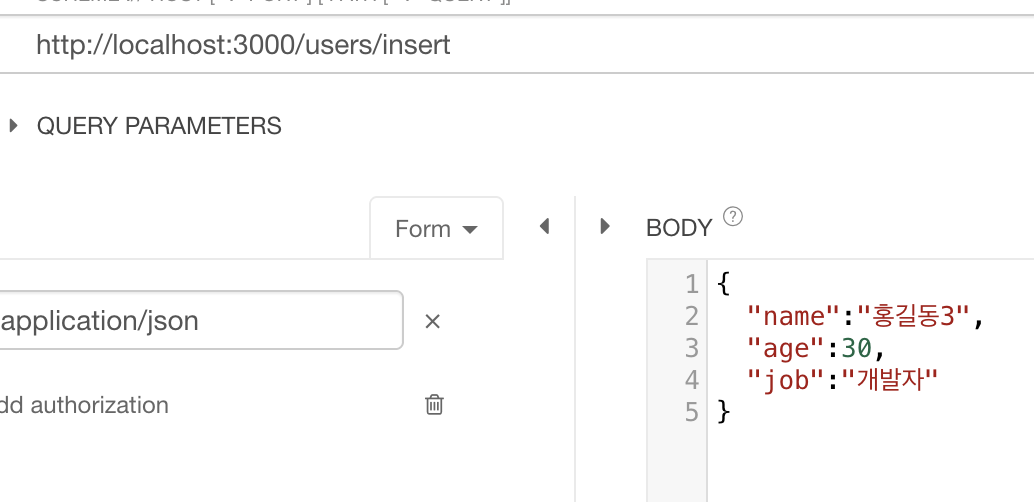
대충 post를 이용하여 dto에 맞게끔 데이터를 홍길동3까지 넣었다. 그리고 finduser를 호출해보자
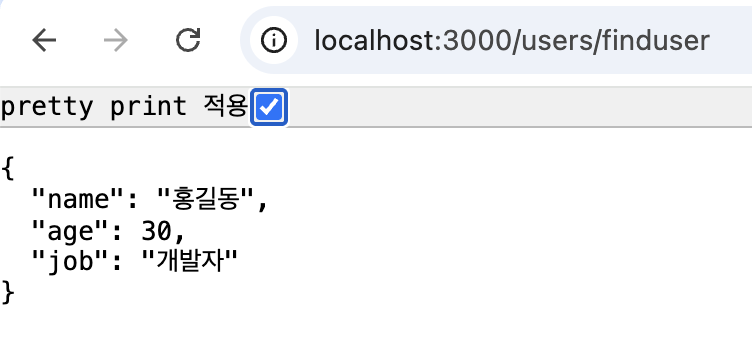
첫번째 홍길동이 호출되었다. 그리고 여기에 모든 데이터를 한번 불러보자.
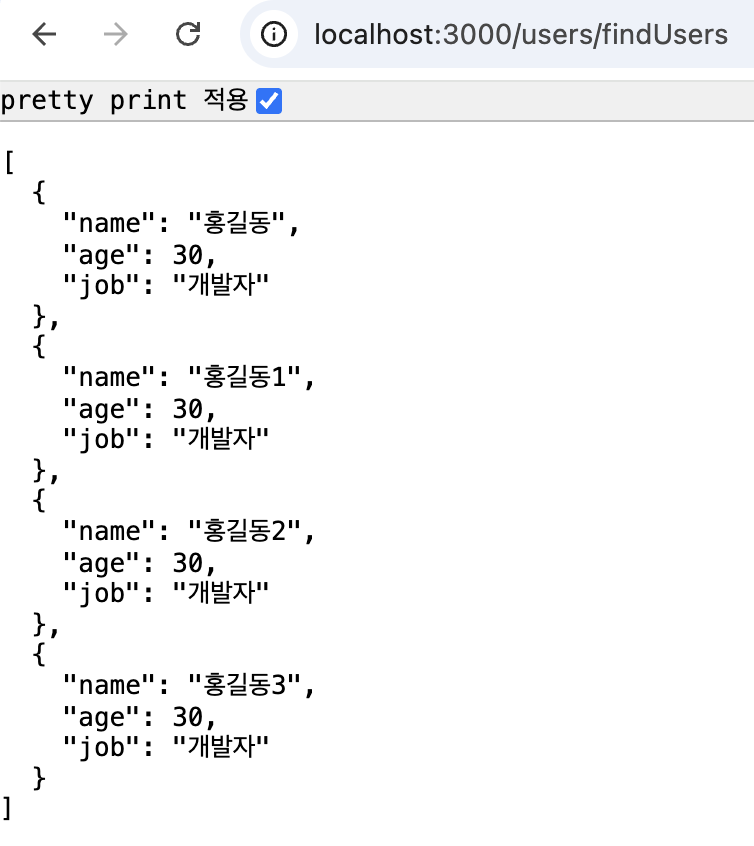
우리가 insert로 넣은 홍길동 패밀리들이 전부 호출 되었다. 개발자가 무려 4명이다.
참고
https://docs.nestjs.com/providers
Documentation | NestJS - A progressive Node.js framework
Nest is a framework for building efficient, scalable Node.js server-side applications. It uses progressive JavaScript, is built with TypeScript and combines elements of OOP (Object Oriented Programming), FP (Functional Programming), and FRP (Functional Rea
docs.nestjs.com
'NestJS > 개념과 구조 정리' 카테고리의 다른 글
| NestJS로 효율적인 백엔드 개발하기 (06) - 미들웨어(클래스형, 함수형) (0) | 2025.12.12 |
|---|---|
| NestJS로 효율적인 백엔드 개발하기 (05) - 모듈에 대해 알아보자 (0) | 2025.12.12 |
| NestJS로 효율적인 백엔드 개발하기 (03) - 컨트롤러 사용하기 (0) | 2025.12.10 |
| NestJS로 효율적인 백엔드 개발하기 (02) - 컨트롤러, 서비스, 모듈 (0) | 2025.12.10 |
| NestJS로 효율적인 백엔드 개발하기 (01) - nest/cli 설치 (0) | 2025.12.09 |